
Paralives is already one of the most talked-about indie games in the life sim space, and that didn’t happen by accident. It launched into Early Access for PC and Mac on May 25, 2026, and attention picked up fast. The numbers made that clear. SteamDB reported more than 30,000 concurrent players live, a 24-hour peak near 39,000, and an all-time peak of 78,603. Even before launch, the game had built 750,000 wishlists and 123,000 followers. For a 12-person team, that kind of momentum is wild. Moreover, it shows how popular indie games can capture attention with strong community backing.
That early success matters for players because Early Access games feel different from finished games. Players aren’t just learning systems. They’re also learning the current version of those systems, along with the gaps, the workarounds, and the little tricks that make the game more fun right now. In Paralives, that matters even more. Building mode is one of the biggest draws, while some life sim features are still limited or still planned.
This guide is for players who want practical help without fluff. It gets straight to the point. It explains how to use the building systems better, make smarter layouts, work around missing social features, and turn the current sandbox into a better story machine. Anyone who enjoys gaming guides, cozy builders, or popular indie games with lots of creative freedom can start here.
Why Paralives Is Hitting So Hard in Early Access
Paralives didn’t come out of nowhere. It arrived after years of slow-burn hype, steady community support, and a clear identity that gave people something real to hold onto. Development started in January 2019, and that long runway gave the game time to build trust with players who wanted a fresh take on life simulation. By launch, it already had real momentum from wishlist growth, creator interest, and players looking for an indie option in a genre usually dominated by a small group of major names.
One simple way to see that momentum is to put the numbers next to each other.
| Metric | Value | Why It Matters |
|---|---|---|
| Early Access launch | May 25, 2026 | Shows how fresh the meta still is |
| Steam all-time peak | 78,603 | Huge breakout for an indie life sim |
| Wishlists before launch | 750,000 | Shows years of demand and community interest |
| First-day revenue | >$10 million | Strong launch conversion for a small team |
Those numbers help explain why so many streamers and guide writers jumped in early. The game already gets enough attention to make it worth the time for creators who learn its systems quickly. For people covering popular indie games on Twitch, YouTube, or TikTok, Paralives offers two strong angles at once: creative building content and sandbox storytelling. That combination works well.
Paralives also fits into a bigger trend. More players are backing smaller teams with clear ideas instead of chasing overloaded feature lists that promise everything at once. If you want more on that shift, read Impact of Indie Games: How Small Studios Are Reshaping AAA Gaming. Paralives stands out as one of the clearest recent examples.
We are now at a stage of development where we have plans laid out for the whole [Early Access release]... so there are limits to what we can really consider developing.
That quote sets expectations early. The current version isn’t trying to do everything yet, and that’s part of the appeal. Players will get more out of Paralives by learning how to pull fun, speed, and style from what’s already there instead of sitting back and waiting for perfect systems.
Master the Building Tools in Popular Indie Games Like Paralives
The biggest mistake new players make is treating Paralives like a standard grid-locked home builder. The game works better when players stop thinking in stiff boxes and start thinking about zones, flow, and shapes that also look good on camera. Flexible wall placement and freer object placement aren’t just nice extras. They should guide each room plan.
Start with a few simple rules. Build around movement paths first, and leave clear routes between the bed, bathroom, kitchen, and front door so the house feels easy to use instead of cramped. Think in activity clusters too. Keep objects used in the same routine close together. Build smaller than planned, then expand only when there’s a real reason. That saves money, keeps the house easy to read, and makes clutter simpler to manage as the build gets bigger.
A strong starter plan is a compact rectangle split into four clear zones: sleep, hygiene, food, and leisure. Simple. That layout cuts down on wasted tiles and makes each room easier to decorate. It also helps streamers because viewers can tell what’s happening on screen almost immediately. Open plans look pretty. Too much open space, though, can slow setup and leave every room feeling half-done.
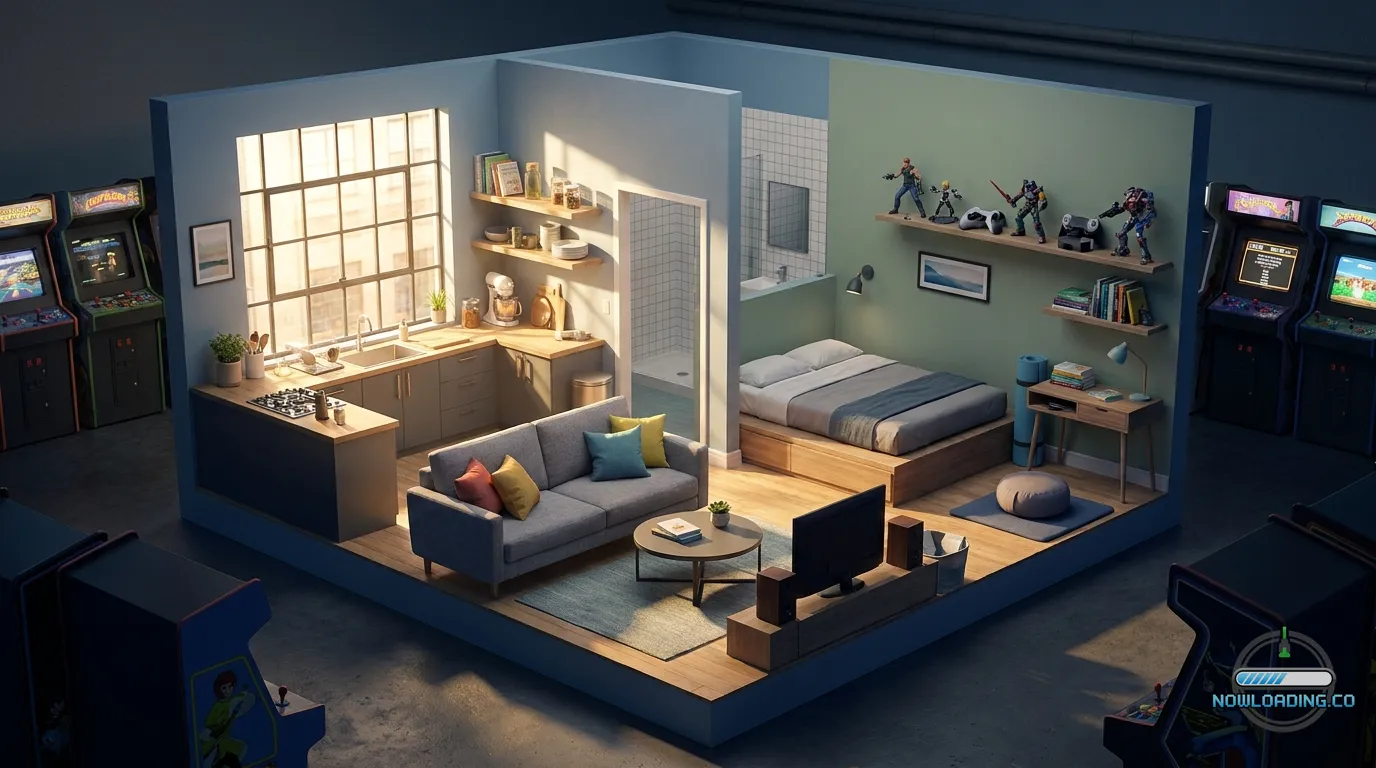
Use wall bends and small angle changes to make tiny homes feel more personal. Even one non-square corner can break up the ‘starter box’ look. Then layer objects with care, because a rug under a chair, a lamp near a side table, a plant in an empty corner, or a shelf above eye level can make a basic room feel finished without taking up pathing space.
If tracking where indie design is going sounds interesting, The Future of Indie Games: Trends and Predictions 2025 is worth checking out. Paralives fits that systems-driven creative trend really well.
The Best Starter House Formula for Fast Progress and Better Stories
Early Access rewards efficiency. You do not need a mansion. What matters is a house that supports your Para’s daily loop with as little friction as possible, so the day keeps moving instead of getting eaten up by pointless steps. A starter home should be made for fast play. Every step you save gives your Para more time for mood management, social play, and earning cash.
For a solid early formula, use one central room that connects to the rest of the house. Put the kitchen and living area in that hub. Then add a small bathroom on one side and a bedroom on the other. Simple. Keep hobby objects near the main room unless they add too much visual noise, because that cuts travel time and makes later edits much easier.
Before-and-after changes matter a lot. Weak starter builds often come with long hallways, oversized rooms, and decorative gaps that do not really do much, even if they look nice at first glance. Great in screenshots. In play, though, they create dead space. A smarter build removes the hallway, shrinks the bedroom, and adds one multipurpose corner for reading, work, or creative play. Then the house feels active instead of empty.
If you want a simple decision frame, use this order:
1. Cover core needs first
Bed, toilet, shower, fridge, counter, table, and one comfort item. Start there. That’s the base.
2. Add one identity feature
That could be a music spot, an art corner, a cozy reading nook, or a stylish dining area. One small touch gives the home more character.
3. Save room for future patches
Don’t pack every wall too tightly. Early Access updates can change what matters, so leaving some flexible space helps.
For creators, a layout with extra room is gold. It’s easy to explain on stream, and it works for challenge content like ‘starter home under budget’ or ‘one-room build that still feels premium.’ Because of that, Paralives has become one of the most creator-friendly gaming guide subjects in the sim niche.
Build for Simulation Efficiency in Popular Indie Games
A beautiful home can still function badly. In life sims, a house acts like a machine. It shapes time, mood, and behavior. When a build slows a Para down, the whole save file starts to feel sluggish.
The clearest fix is to think about daily loops. A morning loop. A work loop. A night loop. If a Para wakes up, crosses half the house, squeezes past furniture, and only then reaches the bathroom, the layout is off. The same goes for cooking if starting a meal means walking from the fridge to the counter to the stove while chairs keep blocking the path. That wastes time.
A strong build keeps those loops short. Put related objects near each other, but don’t cram everything together. Leave open floor space around the items a Para uses most. Then test the layout by imagining a full in-game day and watching for slowdowns. After that, remove obstacles one by one. Small changes, big difference.
Smart design has a visual side too. Efficient rooms can still look great, and that balance matters. Try using color to define zones instead of adding extra walls. Soft wood and neutral tones can make a shared room feel calm. Then a darker accent wall behind a desk or sofa can turn one corner into a work area or social spot. It’s a simple trick. Open layouts feel more deliberate when each space has a clear identity.
Popular indie games stand out here more than many big-budget titles. Smaller teams build systems that invite experimentation instead of pushing players toward one correct style. If you want to read about more standout releases in that space, Discover the Best Indie Games of GDC 2026: Must-Play Titles is a strong companion read.
Life Simulation Hacks in Popular Indie Games While Major Features Are Still Missing
Early Access means some life sim features people expect still aren’t fully there. Reports around the roadmap and launch scope point to missing or lighter systems like weddings, funerals, parties, and fuller NPC story progression. That’s a letdown, sure. But it also leaves more space for player-made structure.
Set up your own routines and goals instead of waiting for the game to hand everything over. Treat each household like a self-made challenge run. One Para might be trying to become a clean-freak minimalist. Another could be building a perfect creative studio on a tiny budget. Sometimes a whole household can revolve around friendship drama, shown through room changes and daily habits.
Environmental storytelling does a lot of the work here. Change furniture as your Para changes. Start with cheap basics, then upgrade only after milestones. Move objects around to reflect stress, success, or shifting priorities as the household changes. The home starts to feel like a diary, and every change gives the household a stronger identity.
A lot of players ignore that, then say the sim side feels thin. Early Access can give players less scripted content and more sandbox freedom. Put that freedom somewhere visible. Rename rooms in your own notes. Track household arcs. Create weekly goals. Use outfits and decor shifts to show life stages, even if deeper social events don’t show up until later.
It's also in the Top 50 of Steam's 'popular wishlists' chart for unreleased games... an ultra low 6x 'follower to wishlist' multiple, much organic interest here.
That interest exists partly because players can already see the potential. Guides that teach workarounds and creative self-direction will stay useful for a long time, especially for players who want richer stories before the missing systems take shape.
Advanced Building Tricks for Players Who Want Cleaner Homes
Once the basics are solid, the next step is polish. Advanced building in Paralives is less about showing off and more about making homes feel smoother while keeping their style.
One smart trick is edge framing. Place bigger objects like sofas, bookshelves or cabinets along the outer edges of the room first. Then bring in the medium pieces. Keep the middle open for pathing and one clear visual focal point. Even smaller rooms feel more organized when the layout has that kind of shape.
Vertical balance matters too. If a room feels empty, don’t keep piling on floor clutter. Put something on the walls instead. Add shelves, hang art or bring in taller plants. That keeps the walking space clear while still making the room feel fuller. For streamers, this helps a lot, since viewers read a room quickly. Strong vertical detail makes a space look more finished on camera.
Repeated materials can also help a build feel calm. When every room has different flooring, colors and furniture styles, the whole house starts to feel noisy. Try sticking to one main wood tone, one metal finish and two accent colors. Then break that pattern in one standout room, like a bedroom or creative studio. The contrast works better when the rest of the house stays steady.
A common problem shows up when players keep adding decor and the house still feels off. Most of the time, the issue is scale, not quantity. Oversized furniture in a tiny room makes the whole build feel cramped. Start smaller. Reduce the main pieces first. Then add the details back and check what the room really needs.
For players who love the wider indie scene, The Rise of Indie Games on Itch.io: Hidden Gems You Must Try is a nice reminder that experimentation in design can start small before it shapes bigger trends.
Best Creator and Streamer Setups Inside the Game
Paralives works well for content creators because it supports relaxed gameplay and planned challenges at the same time. For streams, builds tend to work best when they feel more like stages instead of just houses. Viewers should get the story fast, so the house needs to make that clear right away.
A creator-friendly setup works best with three parts: a signature room, a daily routine area, and a chaos corner. The signature room gives the build its identity. The daily routine area keeps gameplay easy to follow, while the chaos corner holds challenge items, weird decor, or sudden changes that shake things up. Together, those spaces give a stream a rhythm viewers can actually follow.
Some content formats stand out fast, like micro-home challenges, makeover episodes, realistic apartment builds, and ‘can one Para survive in this tiny design’ runs. On YouTube, before-and-after renovations are easy wins because they turn the game’s systems into a clear story people can follow from start to finish. Short-form works too. On TikTok, clips about clutter fixes or room transformations can catch on fast and hold attention without much setup.
Players want cozy games that still have depth. Paralives works because it feels chill without feeling empty. That overlap matters. The audience also connects with people looking for future hit releases, and to stay ahead of that, Upcoming Indie Games in 2026: Hidden Gems You Can’t Miss gives helpful context.
Performance, Accessibility, and Comfort Tips for Long Sessions
Paralives is a detailed sandbox, so long sessions can sneak up on you. Comfort and clarity matter most when you’re building for hours or streaming and trying to keep everything easy to read.
Start with your camera habits. If you’re zooming all the time or always rotating, builds get harder to read and your eyes can get tired faster than you’d think. Pick one solid angle while placing furniture, then rotate only when you need to check spacing. That habit makes a real difference. It cuts down on visual overload and helps long sessions feel easier.
For comfort, try building in short passes. Do the structure first, then furniture, then decor. Don’t try to perfect every object at once. That can backfire. Breaking the work into chunks keeps your brain fresher and makes mistakes easier to catch before they stack up. If you stream, that helps too because your audience gets clearer milestones as the build begins to come together.
Players who care about wellness should set time limits too. Cozy games can slip into intense optimization loops before you notice. A 5-minute break every hour can help a lot. Lowering room clutter can also help if visual noise starts stressing you out during longer sessions.
For readers who like broad trend coverage around games, hardware and creator culture, Now Loading is a useful example of a site that connects guides like this with bigger gaming shifts.
Frequently Asked Questions
The best first house is a small, efficient layout with one main room and short paths to the bedroom and bathroom. Focus on core needs first, then add one stylish feature so the home feels personal without wasting space.
They feel more flexible in key ways, especially wall shaping and object placement freedom. That does not mean every system is deeper yet, but the building tools already give many players more creative control than they expected from Early Access.
Create your own goals, routines, and household rules. Use room upgrades, outfit changes, and daily habits to tell a story, even if big social event systems are still growing over time.
Yes. It works well for challenge runs, house makeovers, aesthetic builds, and sandbox storytelling. If you like creator-focused gaming guides and trend coverage, articles on Now Loading can help you spot other games with similar content potential.
Prioritize clear walking paths, useful object clusters, and vertical detail like shelves or tall plants. Small homes look better when the floor stays open and the walls carry some of the visual weight.
A smart move is to follow sites that cover both guides and industry trends, not just news bursts. For example, Now Loading regularly connects practical game advice with bigger conversations around popular indie games, creator culture, and gaming tech.
Small Tweaks That Make a Big Difference
Paralives is still early, and that gives sharp players a real chance to move ahead fast if they learn how the current systems work now instead of waiting for the final versions. Start simple. Build compact homes with clear loops, then plan rooms around function first and style second. Let decor tell stories. Use the missing life sim depth as goals you set for yourself, and if you make content, treat every build like a stage so viewers get your idea right away.
Paralives rewards intention. Every wall angle, object cluster, and room purpose changes how the game feels, which is a big reason it has already entered the conversation around popular indie games worth watching.
If you want a quick checklist, here it is:
- Start small and expand later
- Keep core need objects close together
- Cut dead space and long hallways
- Use color and lighting to define room zones
- Let decor reflect your Para’s story
- Build challenge ideas around current Early Access limits
Put Your Sandbox to Work
Paralives is already showing that a focused indie project can shake up an entire genre. With a 12-person team, big wishlist momentum and strong player counts, it’s one of the clearest examples of an indie game breaking through by giving players real creative freedom. For players, this is a great time to learn the systems while the meta still feels new. Streamers and guide hunters also have a real chance to get value from learning the game early.
Stop chasing the perfect house and start building the smartest one instead. Build for flow. Upgrade with purpose. Let the current limits push creativity. When a feature is missing, turn that gap into a challenge, a story or even a full build theme. That mindset makes the game more fun right now and helps players build better habits for later, once updates open up more of the simulation.
On a fresh lot, sketch a tiny floor plan and test one new idea. Try a micro-home. Maybe a routine-focused build. Or tell a full story through room changes alone. That’s where some of the best gaming guides begin. Not with theory. They begin with one smart build and one save file that teaches something new.